First, clearly outline a complex request
Based on the information the customer has already provided, adjust the arrangements and price, and send a clear proposal. Once approved, the request will be forwarded to your regular booking follow-up process.
Allow online requests to be submitted as proposals when payment is not made online
If online payment for a private tour is not enabled, an online request will appear in Eguide as a proposal.
Your team can review the request, refine the details, and send the proposal to the customer. Only when the customer accepts the proposal does it proceed to a booking that still needs to be validated.
If online payment is enabled, the online workflow will create a booking with the status “Pending Validation” immediately after payment. There is no separate option per tour between “booking request” and “proposal.”
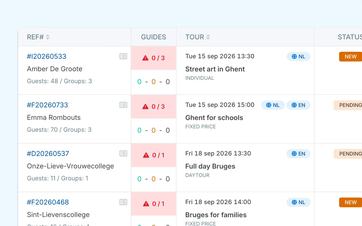
Review the application thoroughly before sending it
Once we receive your request, your team can check whether the requested tour is feasible and provide further details.
Among other things, you can adjust the group assignments, practical details, and financial arrangements. You can then view the proposal as the customer will receive it, including the relevant activity, groups, contact information, and price.
This way, you can first make sure everything is clear and correct before asking the customer to make a decision.
Choose between automatic submission and prior review on an organization-wide basis
Proposals from online requests can be sent automatically or reviewed by a staff member first. This setting applies to the organization as a whole, not individually to each tour.
When automatic sending is turned off, your team can review the proposal first and then send it.
See how a request turns into a booking
We'll walk you through the entire process using a request from your own portfolio.
See which proposals still need a response
In the proposal overview, you can see which proposals are still pending, when they were sent to the client, and the amount proposed.
This way, your team won't have to search through sent emails to figure out which customers still need to respond.
If no response is received, a staff member can manually send a reminder. A separate email template can be used for this purpose, so that the follow-up remains recognizable without having to rewrite each message from scratch.
The customer's response and the automatic expiration of a proposal also appear in the notifications and recent activity overview.
Don't leave unanswered proposals open indefinitely
You can set the time after which a proposal automatically expires if the customer does not respond.
This way, old requests won’t remain in your schedule indefinitely as potential assignments. Your team will receive a notification when a proposal expires and can decide whether further follow-up is still worthwhile.
Once a proposal is created, it reserves the corresponding capacity. If the customer declines the proposal or it expires automatically, that capacity becomes available again.
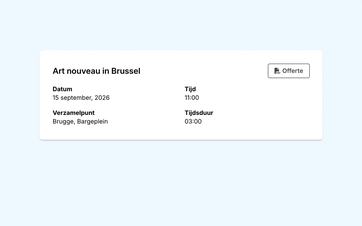
Forward a customer agreement to your booking tracking system
If the customer accepts the proposal, Eguide immediately creates a booking with the status "Pending Validation."
The information from the proposal is retained. This means your team does not need to create a new file or re-enter the agreements that have already been made.
Customer approval does not yet mean that the booking has been confirmed operationally. An employee first reviews it and then validates it from the same workstation where group management, scheduling, and financial tracking are handled.
Decide for yourself when the customer pays
Acceptance of a proposal and payment do not have to occur at the same time.
You can have the customer pay immediately after they agree, or you can send them a payment link manually at a later time. In both cases, the booking is created with the status "Pending Validation."
This allows you to maintain control over the individual sales, payment, and booking statuses.
You can then track the payment received and any outstanding balance separately within the booking.
Frequently Asked Questions About Proposals
Practical answers to questions about requests for quotes.
Yes. For each tour or activity, you can decide whether an online request is treated directly as a booking request or first as a proposal.
A proposal can be accepted, rejected, or automatically expire. Upon acceptance, a booking is created with the status To be validated. Payment and booking confirmation remain separate steps.
Yes. A proposal generated from an online request can be sent automatically if that option is enabled.
You can also choose to have each request reviewed by a staff member first and then send the proposal manually.
Yes. An employee can manually send a reminder based on an open proposal. A separate email template can be used for this purpose.
Sending the reminder does not automatically change the status of the proposal.
At that point, the proposal becomes a Booking to be validated.
Acceptance constitutes the customer's agreement. Operational confirmation will not be issued until an employee has reviewed and validated the reservation.
No. The customer can pay immediately or later via a manually sent payment link received.
Your organization determines when payment is requested. That decision does not affect the separate operational validation of the booking.
If the customer declines, a record is made that the customer has not accepted the proposal. An unanswered proposal may automatically expire after the set deadline.
In either case, no booking is created, and the reserved capacity becomes available again.
Can't find your question here? Please contact us. We'd be happy to explore how proposals can be used within your sales process.