Send the right message at the right time
Set up automated messages to be sent when a customer books, pays, or is about to take a tour. For proposals and events, you can choose when targeted follow-ups are needed.
Keep customers informed automatically
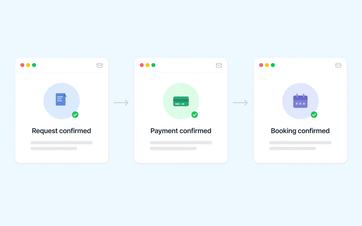
After submitting an online request, a customer expects prompt confirmation that everything was received correctly.
Even after a payment, final confirmation, or cancellation, he wants to know where he stands. If your team has to send every message manually, even a busy day can be enough for something to slip through the cracks.
Eguide can automatically send an appropriate email at those specific times.
This gives the customer clarity more quickly, while your team can focus on the bookings that truly require personal attention.
Remind customers before the tour
A reservation was made months ago. As the date approaches, the customer needs to know again where the group is expected to meet and when the activity begins.
You can therefore have a reminder sent in advance.
In it, you provide the practical information the customer needs to be well-prepared for the trip. This reduces the likelihood of last-minute questions, confusion about the meeting place, or a group arriving late.
The reminder is sent only for bookings that are ready to be processed. A request that your team still needs to review is not treated as if everything has already been finalized.
Provide clear information
A memory can go beyond just the date and time.
The name of the tour, the agreed-upon location, and other preparatory information can also be included in the message.
If a location has been entered correctly, it’s also easier for the customer to access directions to that location directly from the email.
See how customers stay informed in a timely manner
We track each booking from request to reminder.
Follow up on a pending proposal without starting over
Not every customer responds immediately to a proposal.
Maybe he wants to consult with his colleagues first, or perhaps the email got lost among other messages. That doesn't automatically mean the request is no longer of interest.
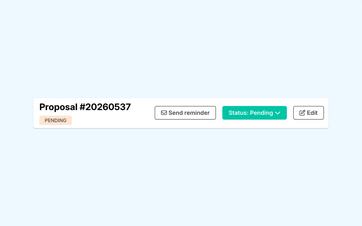
From the proposal, you can therefore send a pre-written reminder.
You don't need to write a new email or gather all the information again. The customer receives a clear follow-up and can return to the proposal that's already ready.
The proposal remains open as is. A reminder does not, in and of itself, change the decision or the further processing of the application.
To learn how customers view and accept a proposal, see the section on proposals that can be converted into a booking.
Send online proposals automatically or after review
Proposals from online requests can be sent automatically or reviewed by a staff member first. This setting applies organization-wide and not on a per-tour basis.
Reach all participants when something changes
At a ticketed event, a single change can affect dozens of participants.
The starting location has changed, the time has been adjusted, or you want to send everyone a practical announcement right before the event.
From within the event, you can contact all registered participants at once. You don't need to collect the email addresses individually or create a new mailing list outside of Eguide.
This way, the same message reaches everyone who is registered at that time.
You can read about how participants and ticket capacity are managed in the sections on selling tickets and tracking participants.
Keep track of what was sent afterward
A message to customers or participants should not remain in just one employee's personal inbox.
Supported emails are stored alongside the relevant context. This allows a colleague to check later what was sent and when it was sent.
Responses to proposals and other important events may also appear in the overview of recent operational reports.
Decide in advance what you want to say
Automation only works well when the message itself is clear.
Your organization therefore determines in advance the text, tone, and available language versions of the recurring messages. Names, dates, and other details from the relevant reservation are then used to personalize each message.
You can find out how to prepare these basic messages in the section on reusable email templates for your daily communications.
This ensures that automated messages remain recognizable as communications from your own organization, rather than as generic system messages.
Automate only communication that is predictable
Not every email should be sent automatically.
For example, invoices are sent intentionally by an employee. You also send a proposal reminder and a message to all event participants when your team decides they are necessary.
Eguide primarily handles predictable and recurring communications. Personal, financial, or special follow-ups remain under the control of your employees.
Frequently Asked Questions About Automatic Emails
Practical answers about memories and targeted communication.
Eguide can automatically send messages upon, among other things, the receipt of a request, a successful or failed payment, final confirmation, and a cancellation.
The text the customer receives is determined by the corresponding email template.
Yes. You can automatically send customers a reminder a certain number of days before the tour. However, the booking must be properly confirmed before such a message is sent.
Yes. A proposal generated from an online request can be sent automatically if that option is enabled.
You can also choose to have each request reviewed by a staff member first and then send the proposal manually.
Yes. An employee can manually send a reminder based on an open proposal. A separate email template can be used for this purpose.
Sending the reminder does not automatically change the status of the proposal.
Yes. Authorized staff members can send a single message from an event to the entire group of registered participants. The message sent can be retrieved within the relevant context.
No. Invoices are always sent after a deliberate action by an employee. This allows you to review the invoice and the recipient first.
Can't find your question here? Please contact us. We'd be happy to review which recurring communications your team is still handling manually.